We’re excited to announce WISER Tracker App Version 5! Over the past year, we’ve strengthened the core foundations of our cross-platform app. These improvements deliver noticeably better performance and set us up for larger, more ambitious updates in the future. At the same time, they unlocked several long-awaited quality-of-life enhancements for our users.
We have many exciting features in the pipeline, but we had to draw a line at some point and call this a release. Here’s everything you need to know about the update and what’s coming next.
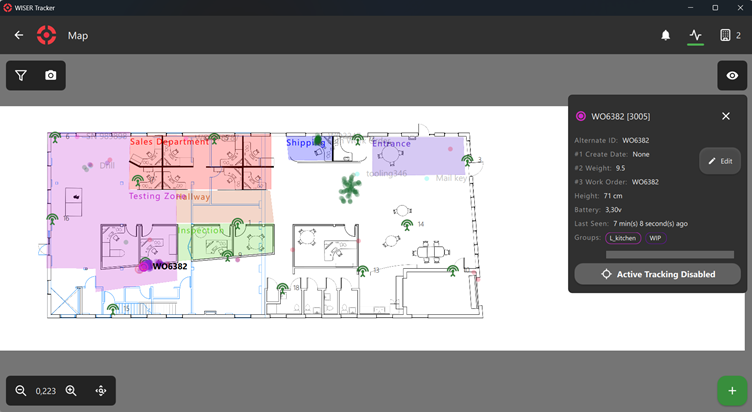
We moved the Arena Map to its own dedicated screen. For now, the Home Screen will act as a quick-launch hub with large, easy-to-tap buttons.
While the map is a central part of the platform, not every operator needs it for their daily tasks. Loading the map consumes system resources and can introduce lag in time-sensitive situations where it’s not required.
Tag assignment, another central function of the system, is now faster and easier to access than ever before thanks to this change.
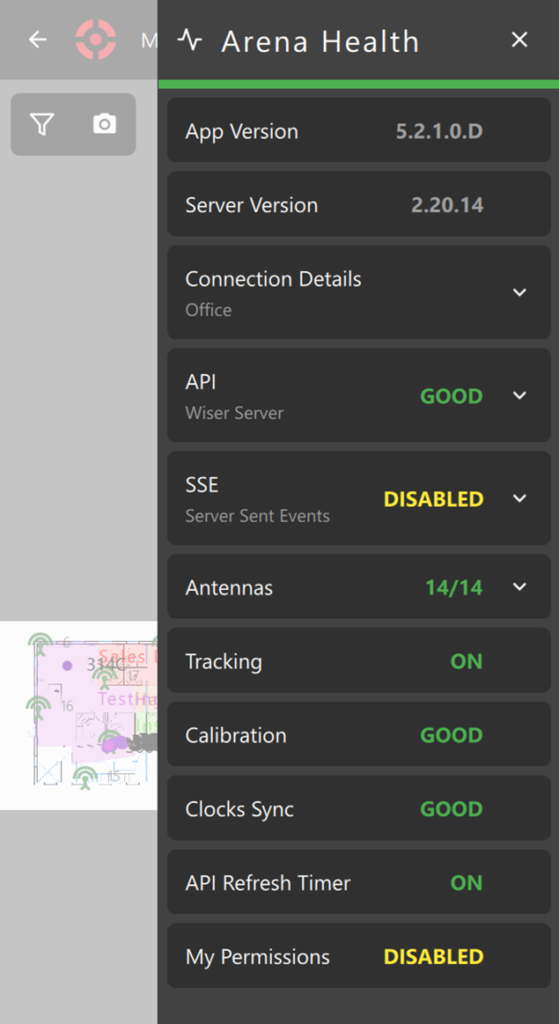
Arena Health Drawer
We are continuing to migrate vital functionality directly into the app. The new Arena Health Drawer is a massive leap forward and long overdue.
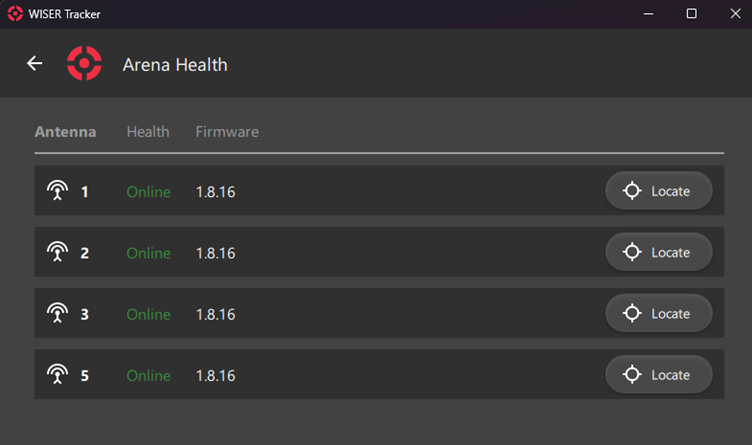
Previously, you could only see if an antenna was online or offline.
Now, you can monitor API status by endpoint, software versions, and overall system health. (More sections are coming in the future, like Mesh Hubs, Adapters etc)
Although this feature it not entirely new, some of you might see the resemblance with the old “Arena Details & Status Screen”, it has been polished and improved. Both Screens got merged and replaced by this new Drawer.
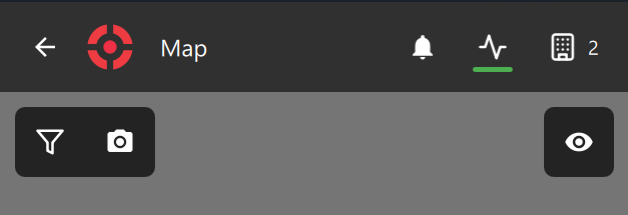
An Arena Health Status Icon now appears on both the Home Screen and Arena Map Screen. Tap it to open the new health drawer. The icon is color-coded for quick glances: green means all good, yellow indicates warnings, and red signals errors.
No more guesswork or logging into the server for most common checks. And, if you run into any issues, please reach out to us at our support email. Be sure to include screenshots or details from the health drawer and use your licensed company email so your message reaches us quickly.
Tag Extra Properties
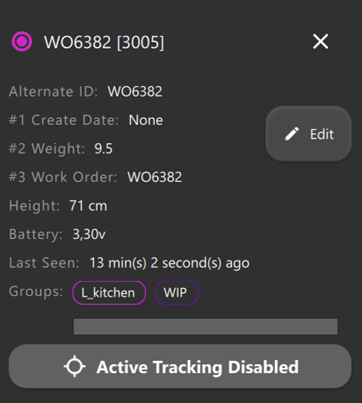
Since server version “2.19.44” and internal app version “4.2.0”, you can configure up to five extra properties for all tags. While still experimental, this feature is now available to everyone in Version 5. For more information about how to set it up, check out our documentation page.
These properties are viewable and editable across the Tag Panel, Tag Edit screen, and Tag Assignment screen. They are also fully searchable within the Tag & Groups screen and the new Map Filters (more details below).
Enhanced Map Filters
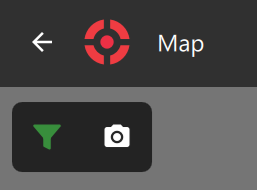
We have refined the map interface to give you better control and a cleaner workspace. The visibility icon has been moved from the top navigation bar directly onto the Map Screen, grouping them on context.
The search function has also found a new home inside the “Filter Drawer”. This drawer provides granular control over tags displayed on the map, allowing you to declutter your view and focus on specific assets.
When any filter is active, the filter icon on the Arena Map Screen highlights in green. This clear visual cue lets you instantly know the map is showing a customized view.
The new filter drawer gives you significantly more control over which tags appear on the map. In addition to other filters, the new search filters across all key tag properties:
WISER ID
Hex ID
Alternate ID
The new experimental “Tag Extra Properties”
This means faster, more precise tag management, narrowing down to a specific ID, searching custom metadata, or focusing on tags that match certain extra properties. It’s especially useful in busy arenas or large deployments where you need to reduce clutter and zero in on relevant items quickly.
Let us know how these filters work for your workflows. We’re already planning even more customization options based on user feedback and internal usage.
Auto-Track on Selected Tag and Antenna Panel
We have addressed a major user request regarding map behavior. Previously, selecting a tag would automatically lock the view and track it. Now, you can toggle auto-track on or off, allowing you to keep the tag panel open while freely panning around the map. We have also introduced a new Antenna Panel that displays essential hardware information at a glance.
Tags & Groups Layout Improvements
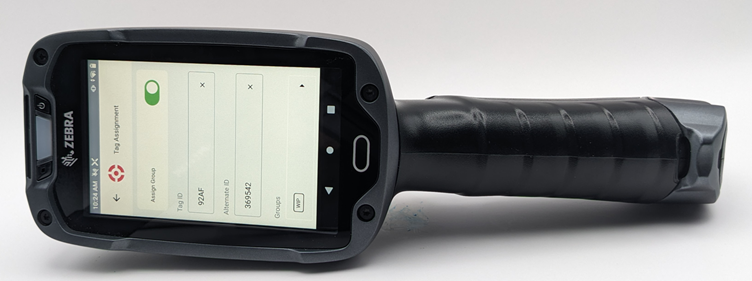
We recently got our hands on a Zebra TC8300 scanner and ran extensive real-world tests. The smaller screen highlighted some usability issues, so we made targeted adjustments to improve the “screen real estate” for compact devices.
Long-time customers have seen how seriously we take UI evolution. We listen closely to your feedback and real use cases. Sometimes a full redesign is needed, and while that takes time, it will happen. Please keep sharing your thoughts and needs.
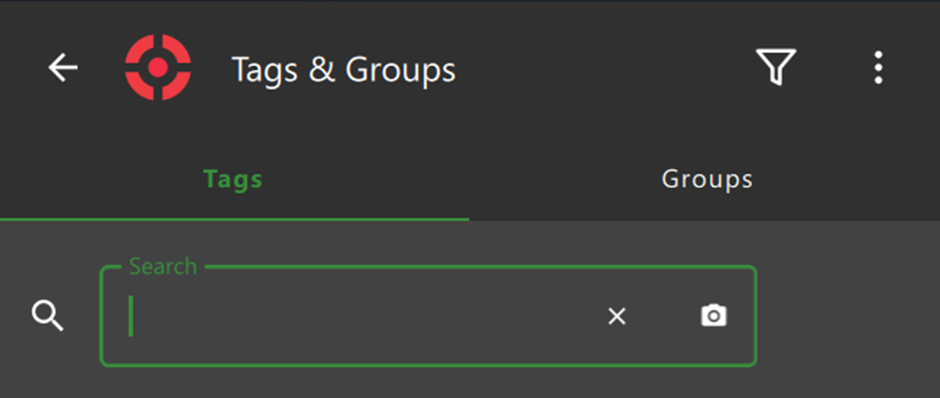
As one immediate change, we moved the “Export Tags Data“ button on the “Tags & Groups” screen to the Navigation Bar and, on small screen devices, we also added a “filter button” that will open a drawer with all available filters.
Application Notification
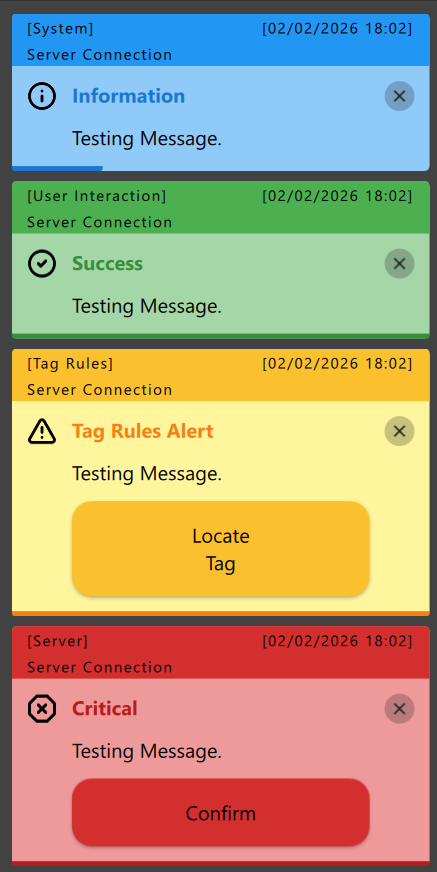
Another long-requested addition: the app now has its own “Application Notification”. We already have “Operating System Notification” (Android, iOS, Windows) available and both will work together now.
We have different Notification types based on context:
System
User Interaction
Tag Rules
Server (Coming soon someday)
and the following Notification Themes, based on Priority Levels (The first three will be available on a later date in the Notification Settings Update):
Light (White)
Medium (Grey)
Dark (Black)
Information (Blue)
Success (Green)
Warning (Yellow)
Critical (Red)
We offer 2 different interaction behaviors: Important notifications will persist until dismissed, while standard ones will fade after a few seconds. Custom notification settings and interactions are not available yet, but we plan to add them soon someday.
Also, we are testing an experimental, session-only Notification History system. In future updates, this data will persist and sync directly from the server.
Do you want to see a Test Message? Head over to Settings > Device > Notifications
Android system notifications still require being allowed manually in the Device settings (We will be improving this)
Even More Improvements
For our curious users, here are additional improvements:
Upgraded the internal camera scanner with new scannable types: DataBarLimited (Linear), DXFilmEdge (Linear), and RMQRCode (Matrix)
Added a new camera scanning option: “Try Invert”
Redesigned in-place error messages to align with the new notification style
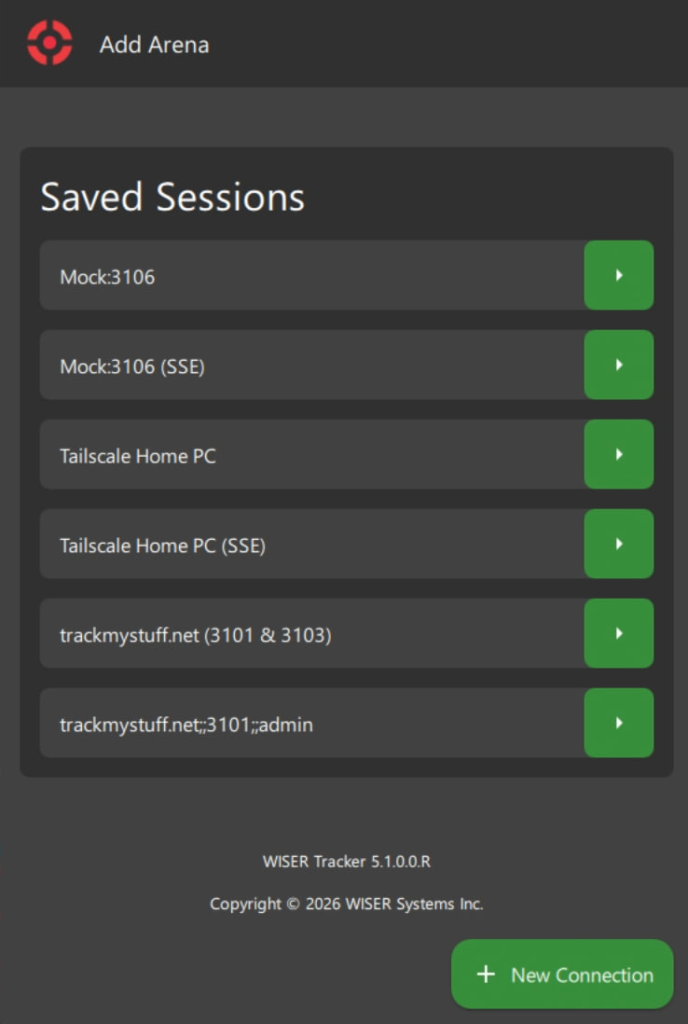
Improved session listing at the Add Arena Screen. Improved session listing at the Add Arena Screen. It is simpler, cleaner and quicker than before.
For the complete changelog, see the full release notes.
In that blog post we walk you through the steps on how to do this yourself, they are split into 3 sections: “1. Fresh Install & Configuration”, “2. App Replication (Installation or Update)” and lastly “3. Settings Replication”.
Follow these steps to efficiently install and configure WISER across your enterprise network. If you just want to update your workstations, section 2 is enough. If you have any doubt, get in touch with our support team using your licensed company email so your message reaches us quickly.
Roadmap: The Path Ahead
We’ve already mentioned several upcoming items, such as server-backed notification history, custom notification settings, expanded health information, and a redesigned Home Screen.
Here’s our current hopeful roadmap, not specific to any year or date and subject to priorities (Also, not in any specific order):
Notification history pulled from the server
Operating System Permission Management (Notification, Camera, Storage etc)
Better Map & Tag Rendering Engine
More advanced notification customization
Expose some server settings directly in the app
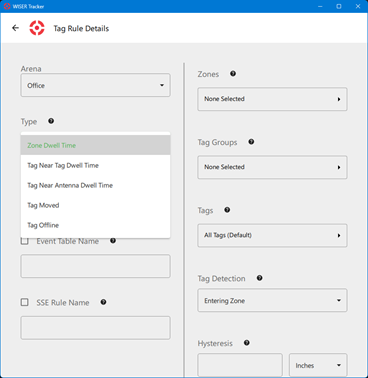
Tag rules rework and enhancements
Personal filters for deeper map customization and visualization
Thank you for your continued support and feedback. It directly shapes what we build next. Update to version 5, explore the new features, and let us know what you think.
If you are interested in talking with someone from WISER about how we can help at your facility, please feel free to reach out. You can contact us via our website, email, or phone.